Articles & BlogBy Trapper W. Brown8 min read
For anyone whose bank, email or social accounts send a code by text message. By the end you will have a PIN and a lock on your phone number, and a plan to stop relying on those texts.
Your phone number was built to reach you. Over the years it has quietly become something else: proof that you are you. Forget a password and the website texts a code to your number. Sign in from a new computer and a code arrives by text.
That works only while the number is still attached to your phone. It can be moved without anyone touching your phone at all, and the person it gets moved to receives your texts and calls from then on. This article is about that move, how to block it, and how to make it matter far less if it happens anyway.
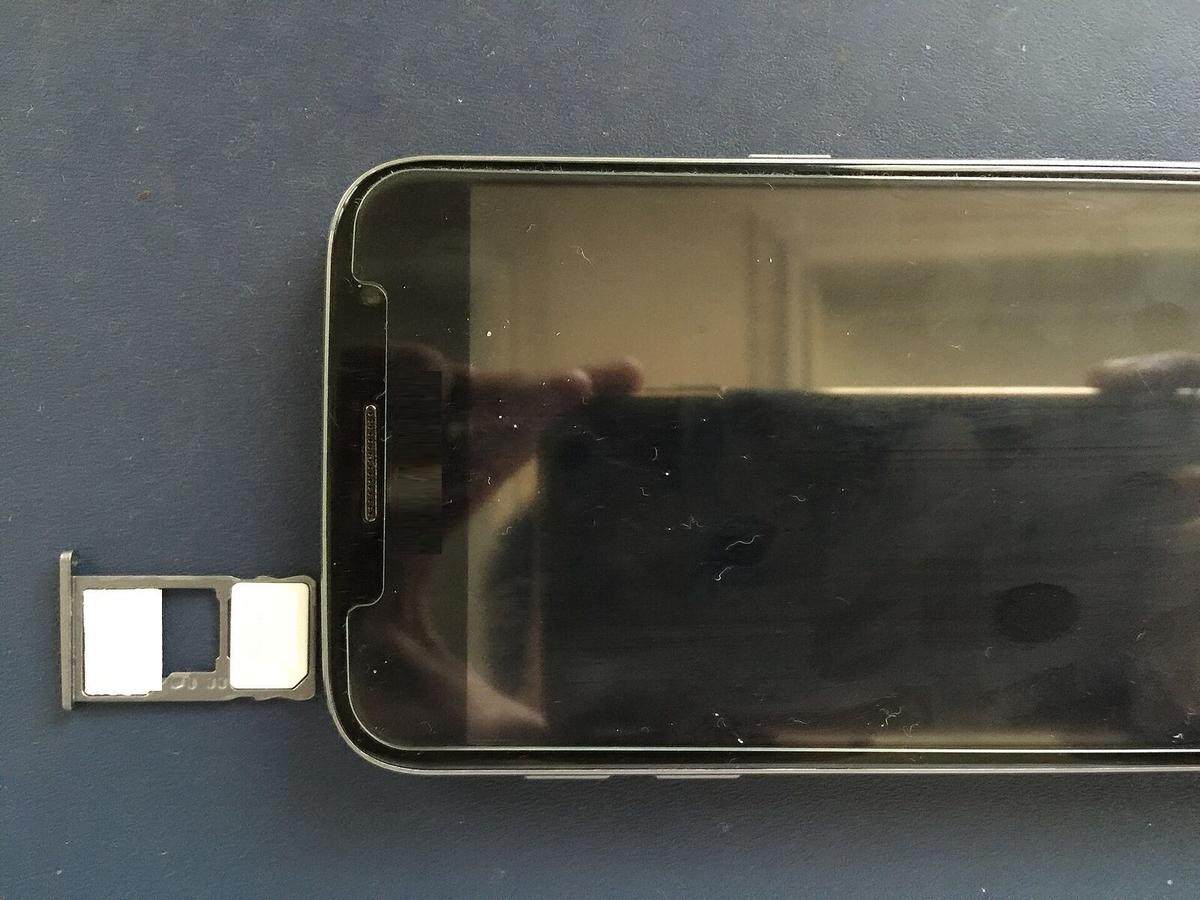 The SIM is the small card in the tray. Your number lives with the carrier and can be pointed at a different card. Photo by Blakegripling ph, CC0, via Wikimedia Commons.
What are a SIM swap and a port-out?
A SIM is the small chip in your phone that tells the carrier's network which phone is yours. Newer phones often use an eSIM, which is the same thing stored as a setting instead of a card. Your number is not stored on the SIM. The carrier keeps a record that says "calls and texts for this number go to that SIM," and the carrier can change that record. It does so honestly every day, when someone buys a new phone or loses an old one.
A SIM swap is that same change made for the wrong person. The Federal Communications Commission (FCC), which regulates US phone companies, described it in a November 2023 news release as a bad actor convincing your carrier to transfer your service to a phone in the bad actor's possession. A port-out is the cousin of it. Porting is the normal process for keeping your number when you switch carriers. In port-out fraud, the FCC says, someone posing as you opens an account with a different carrier and has your number transferred there.
| SIM swap | Port-out | |
|---|---|---|
| What moves | Your number, to a new SIM | Your number, to a new carrier |
| Who is fooled | Your own carrier | Your carrier and a second one |
| What you notice | Your phone loses service | Your phone loses service |
| What the thief gets | Your calls and texts | Your calls and texts |
Both are tricks played on the phone company, not on your phone. You did nothing wrong, and your phone was never hacked.
Why is a phone number a weak key?
A good key is something only you hold. A phone number fails that test, because a company you have never met in person can reassign it after one convincing conversation. Whoever holds the number receives every login code sent to it and can press "forgot my password" on any account that resets by text.
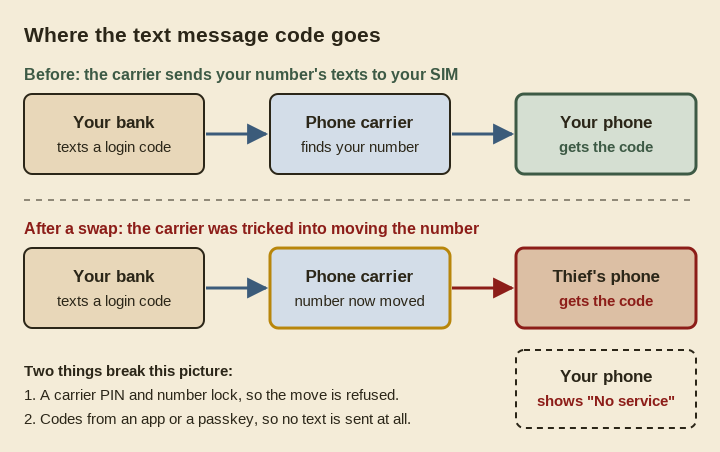 The bank does nothing different. Only the last hop changes.
How common is it? The FBI's Internet Crime Complaint Center (IC3) logged 1,611 SIM swap complaints in 2021, according to an FBI public notice from February 2022. Its 2025 annual report counts 971 complaints for 2025, with reported losses of about $17.4 million.
| 2023 | $48.8M |
|---|---|
| 2024 | $26M |
| 2025 | $17.4M |
Source: FBI IC3 Annual Report, 2025
The trend is downward and the odds for any one person are low. The cost when it lands is high, so a small effort now is a fair trade.
The carrier PIN and the number lock
The first defense sits in your carrier account. Two settings matter.
A carrier PIN (some carriers call it an account PIN or a transfer PIN) is a code the carrier must ask for before it makes sensitive changes. The US cybersecurity agency CISA wrote in its December 2024 mobile guidance that most providers let you set one, and that it is required for operations such as porting your number.
A number lock goes further. While it is on, the carrier refuses to move the number at all until you turn the lock off yourself.
What does the law require? The FCC adopted rules on 15 November 2023 covering both kinds of fraud. As printed in the Federal Register that December, they tell wireless carriers to confirm a customer's identity by secure methods that do not lean on easy to find details such as account or recent payment information, to notify you immediately when a SIM change or port-out is requested, and to offer a lock on both, at no cost.
There is a catch. An FCC order of 5 July 2024 tied all of those duties to a compliance date to be announced later, and in the regulation as published on 12 November 2026 that date had still not been filled in. So do not assume your carrier does this for you. Many carriers offer a PIN and a lock anyway, under different names. Sign in to your carrier's website or app and look under security or account protection for words like "number lock," "port-out protection" or "SIM protection."
Tip
Make the carrier PIN a random number that appears nowhere else in your life: not a birthday, not part of your Social Security number, not your phone's unlock code. Keep it in your password manager, where you can find it on the day you really do buy a new phone.
Moving your accounts off text codes
The second defense makes a stolen number worth far less. If your important accounts stop sending codes by text, a thief who gets your number gets very little.
| Second step at sign-in | What it is | If your number is stolen |
|---|---|---|
| Text message code | A code sent to your phone number | The thief receives it |
| Authenticator app | An app on your phone that shows a short-lived code | Still yours, because it is tied to the phone and not the number |
| Passkey or security key | Your device, or a small USB key, proves it is you with no code to type | Still yours, and a fake website cannot use it |
The Federal Trade Commission (FTC) has advised since 2019 that for sensitive accounts you use an authentication app or a security key, because a text code may not stop a SIM swap. CISA's 2024 guidance agrees: move away from text message codes, treat app codes as better, and treat passkeys and security keys as the strongest choice.
Start with your main email account. Almost every other account can be reset through it, which makes it the master key. Then do the accounts that hold money, then social media.
Watch out
Adding an authenticator app does not remove the text option. CISA points out that signing up for app codes does not switch off text codes on the same account, which leaves the weak door open. After you add the stronger method, save the backup codes the service offers, then go back and remove your phone number as a sign-in method wherever the service lets you.
Signs it has happened, and what to do
The FTC lists two signs. Your phone stops working, with no calls, texts or data where you normally have signal. Or you get a notice that your SIM has been activated on a new device. A third sign is a burst of password reset emails you did not ask for.
Move fast, in this order:
- Call your carrier from another phone, or walk into a store. The FTC's advice is to contact your provider immediately to take back control of your number.
- Secure your email, then change the passwords on accounts that hold money.
- Check bank, card and other financial accounts for charges or changes you did not make, and tell the institution about any you find.
- Follow the recovery steps at IdentityTheft.gov if your Social Security, card or bank account number may be exposed.
- Report it to the FBI at ic3.gov. The FBI asks for a report whatever the amount.
The FBI's 2022 notice adds one habit that prevents a lot of this: never give your carrier password or PIN to someone who phones you. Hang up and dial your carrier's customer service line yourself.
Here is the list for tonight.
- Sign in to your carrier account and set an account PIN
- Find the number lock or port-out protection setting and turn it on
- Change the carrier account password and turn on its own sign-in protection
- Write down which accounts text you a code: email, bank, investments, social media
- Add an authenticator app or passkey to your main email account
- Save that account's backup codes somewhere safe
- Remove the text message option on that account where you can
- Repeat for each account that holds money
What to remember
- Your number lives in a carrier record, and the carrier can point it at a different SIM or a different company.
- A SIM swap and a port-out both fool the phone company. Your phone is never touched.
- Set a carrier PIN and turn on the number lock. Do not wait for a rule to do it for you.
- Move email and money accounts to an authenticator app or a passkey, then remove the text option.
- No service where you should have signal is a reason to call your carrier from another phone right away.
For how passkeys and authenticator apps work under the hood, and why they resist fake websites, read Passwords, Passkeys and MFA: Identity Done Right.