
Loading
Warhawk Division is a gaming community. This is a unit document, not a government or military publication.Warhawk Division is an independent gaming community, for entertainment purposes only. It is not affiliated with, sponsored by, or endorsed by Bohemia Interactive, the United States Department of Defense, or any military organization. Arma Reforger is a trademark of its respective owner. Printed from warhawkdivision.com.

A magenta arrow for the way your body faces, and a light cone for where you are looking.

Cyan. The notch on the ring points the way they face.
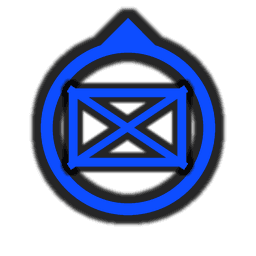
Deep blue, friendly AI included. Far away, faded: reported by the server every 10 seconds.
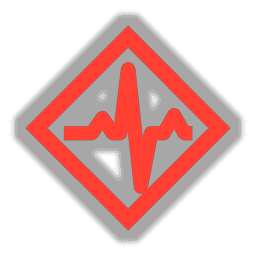
A red diamond with a heartbeat: unconscious, not dead. Get a medic to them.
Red-green colorblind? Set COLORBLIND MODE to RED-GREEN on TALON's BFT DISPLAY tab. Your squad turns yellow, the rest of your side blue, and casualties and CONTACT dark orange, on the compass, the tags, the mini map and the map. The pictures on this page show the standard colours.

A box with a cross.

A box marked SL.

Everyone aboard shows it.

A box with a bow tie.
A thin diamond over the head of every squadmate you can see, their name under it within 100 metres, or when you look right at them.
The rest of your side the same way; friendly AI get the diamond only, no name. Walls, hills and buildings hide the diamond.
A friendly who is unconscious: a red diamond with a heartbeat inside and their name under it. The line draws across and the diamond pulses outward until they get up or die. Get a medic to them.
One tag on a crewed vehicle's roof with how many friendlies are aboard: HELO for helicopters, cyan if your squad is in it.
The semicolon key, or TAGS RANGE on the tablet, steps through off, 100, 300, 600, 1000 and 2000 metres. It is remembered. No diamond does not mean enemy.
While BFT's tags are on, the game's own name tags are hidden, so no name shows twice. Turn the tags off and the game's come back.
RP 1 | 314° | 840 m
Off the tape, the dot waits at the edge on the side to turn to.
Markers your side placed on the map. Shown while they are inside the tape. Name them: the name is what everyone reads.
A CONTACT marker your side placed, lased or by hand. Look at it to read its bearing and range.
The bearing you saved with the period key. It waits at the edge too.
RP 1 | 5582 | 840 m
Saves where you are looking. Press again to clear it.
MARK BEARING on BFT TOOLS
6400 mils to a circle (NATO). Starts in degrees each game.
MILS / DEGREES on BFT TOOLS
Off, 100, 300, 600, 1000, 2000 m. Starts at 300 and remembers your pick.
TAGS RANGE on BFT TOOLS
WD Core's tablet with BFT's tabs: the mini map, tags, compass and reports. Saved straight away.
Hold D-pad Right, press A / Cross
Range, bearing and grid of what you look at. Again within 5 s marks it CONTACT for your side.
Tap D-pad Left + Y / Triangle
MY POS grid and heading to your squad chat.
POSITION REPORT on BFT TOOLS
Hides all BFT draws; again brings it back as you had it. Chat says BFT: DISPLAYS HIDDEN or BFT: DISPLAYS SHOWN.
Tap D-pad Right + Y / Triangle
On the map: slides back to your arrow and keeps its zoom. The CENTER ON ME button under the grid readout does the same.
Click the Left Stick (L3)
Every action works on a keyboard and on a controller. Change any of them, or give the tablet ones a controller button of their own, in Settings, Controls, WD Warhawk BFT (the tablet key is under WD Core). Typing works too: /bft pos, /bft mark, /bft mils, /bft tags, /bft track or /bft hide.
Never shown, on the map, the compass, the mini map or as a tag, in any colour.
A marker goes when its player dies.
Far friendly players show on the map, reported every 10 seconds. Far AI do not, and the tags and mini map only show what is near you.
One short pass every 10 seconds, and each player is only ever sent their own side. Everything else is drawn on your own computer.