Articles & BlogBy Trapper W. Brown8 min read
For anyone who reuses passwords because nobody can remember two hundred of them. By the end you will have picked a manager and know which accounts to move first.
You have been told to use a different password for every account. You have also been told to make each one long. Nobody can do both from memory, so most people quietly reuse two or three favorites, and that is the habit thieves count on. A password stolen from one small shop gets tried at the bank an hour later.
A password manager is the way out. CISA, the US cybersecurity agency, describes one on its Secure Our World page (as it reads in 2026) as "an easy-to-use program that generates, stores and even fills in all your passwords." You remember one password. It remembers the rest.
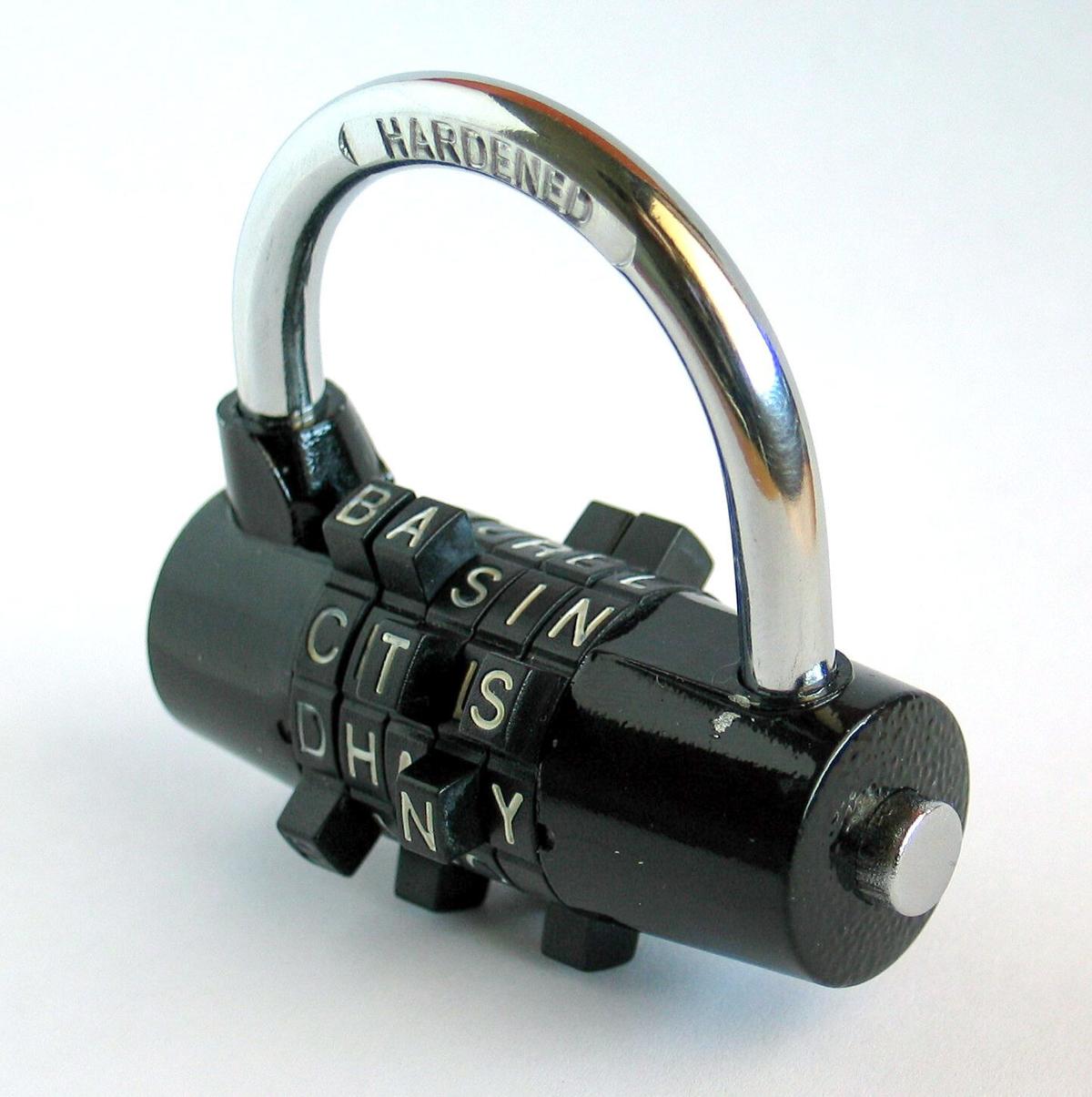 A lock opened by one word. A password manager works the same way: one secret opens the box that holds all the others. Photo by Mysid, public domain, via Wikimedia Commons.
What does a password manager do?
Three jobs. It makes up a long random password each time you open a new account. It stores every password in one locked list, called a vault. And it types the right one in when you sign in, on your phone and your computer alike.
That list is locked with a single master password, the only one you still have to know.
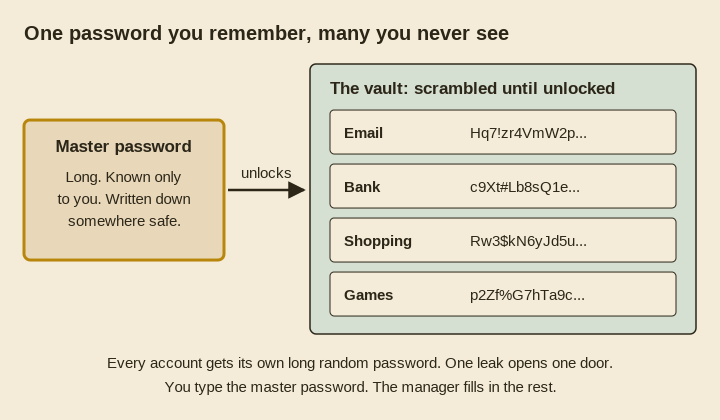 One password you remember unlocks many you never have to see.
How is the vault protected? It is encrypted, which means scrambled so that it reads as nonsense without the key. The key is made from your master password, on your own device. The company that runs the service keeps only the scrambled copy. Bitwarden's own page (read in 2026) puts it this way: no one, "not even Bitwarden itself," can read your stored data. 1Password's support page (2026) says the matching thing from the other side: "no one can reset your password," because the company never has it.
That design has a cost you should know before you start. If you forget the master password and have set up no way back in, the maker cannot rescue you.
What should you look for?
The official advice is short. The FTC's password guidance (November 2024) says to read expert reviews before choosing a third-party manager. NIST's current digital identity guidelines tell websites they must allow password managers and autofill, so a site that blocks pasting is behind the times, and the fault is not yours.
Managers come in three kinds. The names below are examples, not a ranking, and I am not recommending one over another.
| Kind | Examples | Where the vault lives |
|---|---|---|
| Built into your phone or browser | Apple's Passwords app, Google Password Manager | In your Apple or Google account |
| A separate app that works across brands | Bitwarden, 1Password | Scrambled, on the maker's servers and your devices |
| A file you keep yourself | KeePassXC | In one encrypted file, wherever you put it |
The built-in ones cost nothing extra and are already on your phone. A separate app helps when your household mixes brands, such as an iPhone and a Windows laptop. KeePassXC's site says it stores nothing on remote servers, which suits people who would sooner carry and back up the file themselves.
| Question to ask | Why it matters |
|---|---|
| Does it work on every device I own? | A manager you cannot reach on your phone will not get used |
| Does the maker say it cannot read my vault? | Then a break-in at the maker exposes scrambled data only |
| Can I add a second sign-in step to the manager itself? | A stolen master password is then not enough |
| How do I get back in if I forget? | Recovery has to be set up before you need it |
| Does it warn me about weak, reused or leaked passwords? | It shows you which accounts to fix first |
| Can I share a login with family safely? | Better than texting the streaming password |
The master password, and the way back in
This one password guards everything, so make it long. CISA's page says at least 16 characters. The FTC (November 2024) suggests a passphrase: a series of random words, and not a song lyric or a movie quote. Four or five unrelated words are easy to type and hard to guess. Never reuse it anywhere.
Then plan for the day you forget it. Each maker has its own way. 1Password gives you an Emergency Kit to print, and its support page suggests keeping a copy in a safe deposit box or with your passport. Bitwarden lets paying users name trusted emergency contacts who can request access. Whatever yours offers, set it up on day one.
Tip
Write the master password on paper and keep it where you keep your birth certificate. A burglar is not after that sheet, and it means your family can reach your accounts if something happens to you.
Moving in over a weekend
You do not have to move two hundred accounts at once. Move the few that matter and let the rest follow.
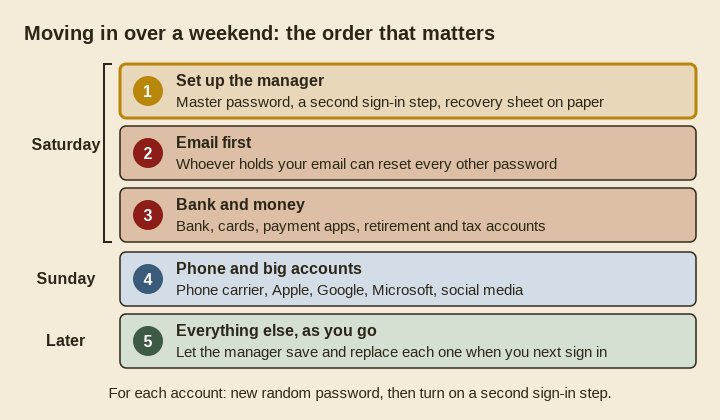 Email goes first because it is the reset button for everything else.
Email comes first for a plain reason. Nearly every "forgot my password" link sends a message to your inbox. Whoever controls your email can reset the rest.
For each account: sign in the old way, find the change password page, let the manager generate the new password, and save it. While you are there, turn on a second sign-in step. CISA says to do that especially for email, social media and financial accounts.
- Pick a manager and install it on your phone and your computer
- Create the master password and write it on paper
- Set up the manager's recovery option and a second sign-in step
- Change your main email password to one the manager generated
- Do the same for your bank
- Put the paper somewhere safe
Watch out
Do not delete your old password notebook or list on the first day. Keep it until you have signed in to your email and your bank with the new passwords on two devices. Then shred it.
Passkeys inside a manager
A passkey replaces the password altogether. The FIDO Alliance, the group behind the standard, describes it (2026) as a sign-in credential stored on your phone or computer and unlocked the same way you unlock the device. It also calls passkeys phishing resistant, because there is no password for a fake site to capture.
Most managers now hold passkeys beside passwords. FIDO separates synced passkeys, which follow you across your devices through a cloud service, from device-bound ones that never leave a single device. A passkey saved in your manager is the synced kind, so a new phone gets it too. When a site offers one, take it and let the manager store it. Our article Passwords, Passkeys and MFA: Identity Done Right explains how they work underneath.
What a manager does not protect against
It solves reuse and weak passwords. It does not solve everything.
- A sick device. If malicious software is running on your computer while the vault is open, the vault can be read. Keep the device updated.
- Being talked into it. A manager cannot stop you reading a one-time code to a caller who claims to be your bank.
- The site's own leak. If a shop loses its customer list, your password there is burned. The damage stops at that one account, and the FTC says to change that password right away.
- A weak master password. A short or reused one undoes the whole design.
One quiet benefit: a manager fills a password only on the site it was saved for. If it will not fill on a page that looks like your bank, stop and read the address.
What to remember
- One long master password, never reused, written down on paper in a safe place.
- The maker cannot read your vault, which also means it cannot reset your master password. Set up recovery first.
- Built in, separate app or a file you keep: all three kinds beat reuse.
- Move email first, then money, then the big accounts. The rest can follow as you sign in.
- Take passkeys where offered and store them in the manager.
- A manager does not stop malware or a persuasive caller.
Give it one Saturday morning. Once email and the bank are moved, the worst of the risk is behind you, and every later sign-in is a chance to fix one more.