Articles & BlogBy Trapper W. Brown6 min read
For anyone who posts photos, check-ins or family news online.
Would you put a sign on your lawn that says "Away for two weeks"? A public post from the airport says the same thing, to more people.
That is not a reason to stop sharing your life. Social media is how many of us keep up with family and friends, and nearly everyone who sees your posts wishes you well. The point is to know what a post says beyond what you meant, and to choose who gets to read it. A few settings and one or two habits cover most of it.
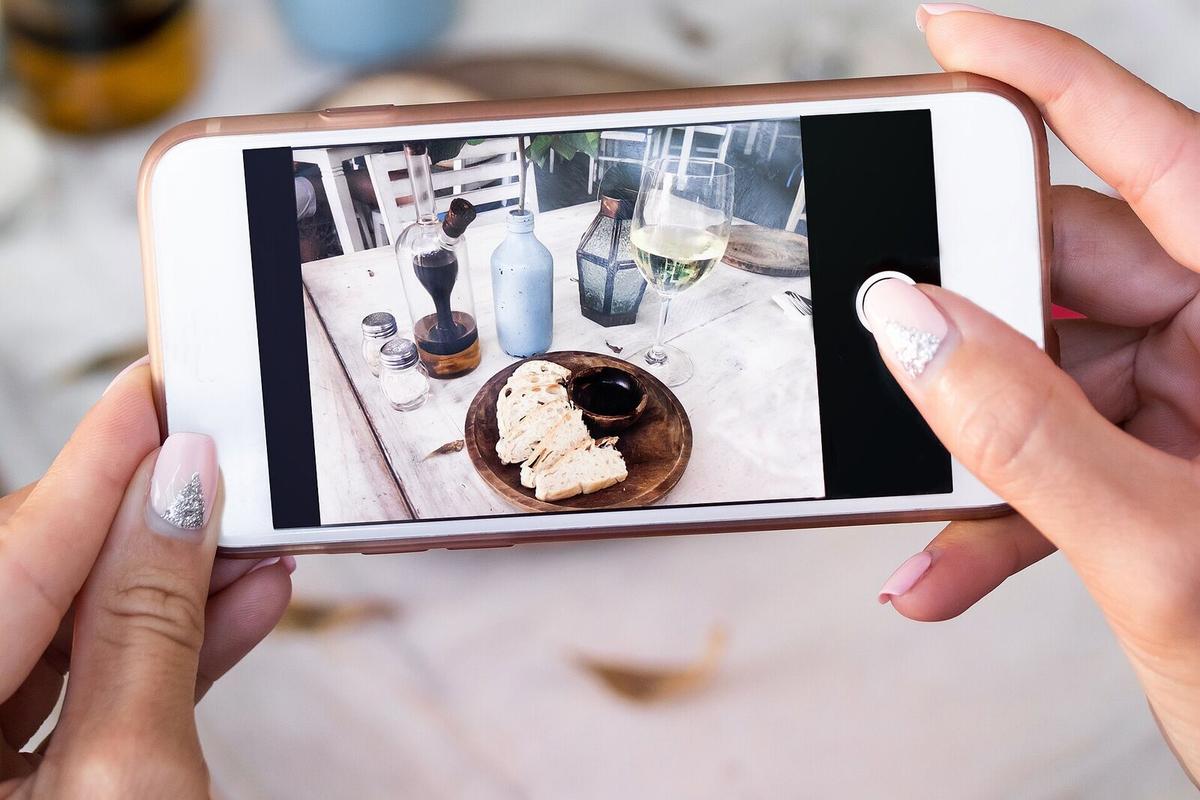 A photo of lunch also says where you are and that you are not at home. Photo by Artem Beliaikin, CC0, via Wikimedia Commons.
What does a post say that you did not mean?
Read your own profile as a stranger would. You see a holiday, a new television, a child's first day of school. A stranger with bad intentions sees answers to practical questions: is anyone home, where is home, what is inside, and when does the routine leave the place empty?
| What you post | What it also tells a stranger | A safer way |
|---|---|---|
| "At the gate, two weeks of sun ahead!" | The home is empty, and for how long | Post the trip after you are back |
| A check-in or tagged location, live | Where you are right now, and so where you are not | Tag afterwards, or not at all |
| A photo of the new house with the number showing | Your address | Crop out numbers, street signs and plates |
| A new purchase, unboxed in the living room | What is worth taking and which room it is in | Share with close friends only |
| House keys held up on moving day | More about your key than anyone needs to see | Keep keys out of photos entirely |
| The same run, same route, same time, mapped | When you are out and for how long | Make activity maps private, hide start and end points |
| A room-by-room tour | Layout, doors, windows, where things are kept | Limit the audience, skip entry points |
None of these posts is foolish. Each one is the normal thing to share. The trouble is the audience, and the sum: one post says little, but a year of public posts adds up to a fair picture of a household.
Travel: why is "later" the best setting?
The simplest habit is also the most effective. Share the trip when you are home.
Nothing is lost. The photos are the same, and you can choose the best ones. What changes is that the post no longer tells anyone your home is empty this week.
If you want family to follow along while you travel, send photos to a private group chat. Ask travel companions to wait too, because a friend who tags you at the beach has made the announcement for you. Most platforms let you review tags before they appear on your profile, and that setting is worth turning on.
It helps to make the house look lived in while you are gone: mail and packages collected, a light on a timer, a neighbor who knows your dates. Tell that neighbor in person, not in a public comment.
Tip
Countdown posts ("three days to go!") announce the dates in advance. Save the excitement for the group chat and the photos for the week after.
Geotags and backgrounds
A photo carries more than its subject. Many phones store the location where a picture was taken inside the file, and some apps add a place name when you post. You can turn off location for your camera app, and turn off location tagging in each social app, in your phone's privacy settings.
Then look at the background before you share. House numbers, street signs, a school name on a uniform, a car's plate, mail on the counter with an address on it, a calendar on the wall, the alarm panel by the door. Crop or retake. It takes a few seconds once you have the habit.
Photos taken at home deserve the most care, because they show the inside to people who have never been invited in.
Friend lists and the people who are not burglars
Burglary is the smaller risk here. The larger one is fraud, and it runs on the same information.
The Federal Trade Commission counted about 3 million fraud reports in 2025, with $15.9 billion in reported losses. Imposter scams, where someone pretends to be a person or organization you trust, drew more than 1 million of those reports and more than $3.5 billion in losses. Business impersonators accounted for nearly $1 billion and government impersonators for about $920 million.
An imposter needs a believable story, and public profiles supply the details. Your friend list says whose name to borrow. Your posts say where you bank, where you work, which grandchild is travelling, and what you call each other. A message that says "Hi Nana, I lost my phone on the trip, this is my new number" works far better when the trip is real and the nickname is right.
| What is public | How a scammer can use it |
|---|---|
| Friend and family lists | To pose as someone you know, or to copy your profile and message them |
| Employer and job title | To pose as your boss, payroll or a supplier |
| Birthday, pet names, hometown, first school | To guess passwords or answer account security questions |
| Travel in progress | To tell relatives you are stranded and need money sent |
| Complaints addressed to a company | To pose as that company's support team |
Watch out
"Friends only" is not the same as private if you accept requests from people you have not met. A second friend request from someone you are already connected to is often a copied profile. Check with the real person another way before you accept.
If a message asks for money, codes or account details, stop and contact the person or company through a number you already have. Report scams to the FTC at reportfraud.ftc.gov and online fraud to the FBI's Internet Crime Complaint Center at ic3.gov.
What should you change in your settings?
Every platform words these differently and moves them around, so look for the idea, not the exact label. Most have a privacy checkup that walks through them.
- Who can see your posts: friends, not public. Check the default for future posts and the setting for past ones.
- Who can see your friend list: only you, or friends.
- Profile details: hide your birth year, phone number, email and home town from public view.
- Tags: review before anything you are tagged in appears on your profile.
- Location: off for the camera, off for posts, private for fitness maps.
- Search: decide whether search engines can link to your profile.
- Old connections: remove people you do not know.
Talk to the family as well. A careful parent's settings do little if a teenager's public account shows the same house, the same holiday and the same dates. Agree on the basics together: trips posted afterwards, no photos of the outside of the house, no keys, no documents.
What you can do today
- Run the privacy checkup on each platform you use.
- Set your friend list to private.
- View your profile as a stranger would, and remove what shows your address or routine.
- Turn off location tagging for your camera and social apps.
- Turn on tag review.
- Agree with your household to post trips after you are home.
What to remember
- A post can say more than you meant. Read it as a stranger would.
- Share travel afterwards, and ask companions to do the same.
- Check photo backgrounds for addresses, keys, plates and layouts.
- A public friend list helps imposters more than it helps you.
- Verify any request for money or codes through a contact you already have.
You do not have to disappear from the internet to be safe on it. Decide who the audience is, post the trip a week late, and keep the front door and its keys out of the frame.