Articles & BlogBy Trapper W. Brown11 min read
The OSI model is a way of describing a network conversation as seven jobs stacked on top of each other. OSI stands for Open Systems Interconnection. Each job is called a layer, each layer has a number, and each one only has to worry about its own work. The cable does not need to know what a web page is. The browser does not need to know whether the signal is riding on copper, glass or radio.
Why should you care? Because the model is the shared map that network people use when something breaks. When a technician says "that is a Layer 1 problem," she means a cable, a plug or a radio signal. When she says "Layer 3," she means addressing and routing. Learn the seven names once and a lot of technical talk stops sounding like code. You also get a method for fixing your own connection that beats restarting things at random (though restarting things at random has a better record than it deserves).
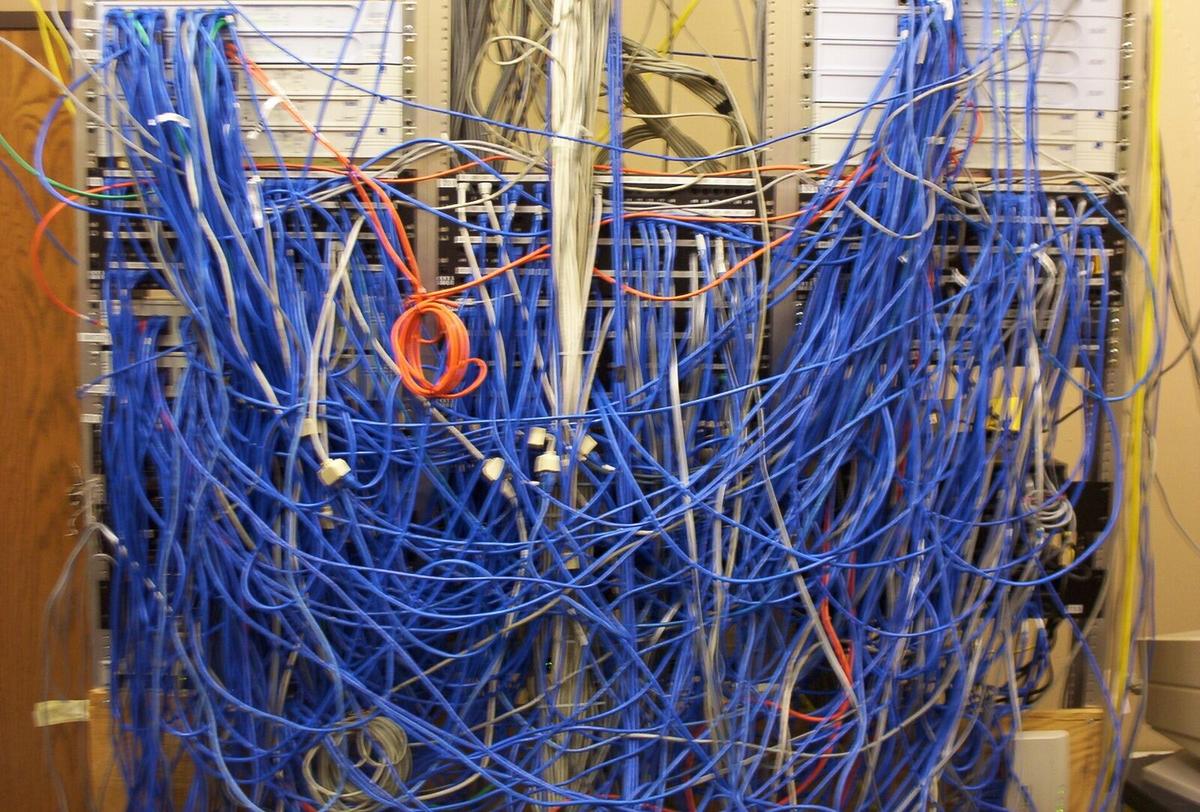 Before any of the upper layers matter, Layer 1 has to work, and somebody has to find the right cable. Photo by Brian Hankins, public domain, via Wikimedia Commons.
Why split a network into layers?
Think about mailing a birthday card. You write the message. You put it in an envelope with an address. The post office sorts it by ZIP code. A truck carries it. A carrier walks it to the door. Each step relies on the one below it and offers a simple service to the one above. Swap the truck for a plane and the card still arrives. Nobody has to rewrite the message because the route changed.
Networks are built the same way, on purpose. The model is written down in an international standard, ISO/IEC 7498-1, whose current edition is dated 1994. The International Telecommunication Union publishes the identical text as Recommendation X.200, and its site lists that document as still in force. The standard does not describe any one product. It is a reference model: a set of names and boundaries that designers and troubleshooters agree on.
Two ideas make it work. First, each layer deals only with the layers directly above and below it. Second, each layer on your machine has a partner at the same level on the far machine. Your browser speaks to a web server's software. Your network card speaks to the next device on the wire. These are separate conversations happening at the same time, nested inside each other like envelopes.
What does each layer do?
Here are the seven, from the top of the stack to the bottom.
| Layer | Name | Its job | Everyday example |
|---|---|---|---|
| 7 | Application | The rules a program uses to ask for something and deliver it | HTTP for web pages, the mail protocols |
| 6 | Presentation | Puts data in a form both sides can read: character sets, compression, encryption | Text encoding, image formats |
| 5 | Session | Starts, manages and ends a conversation between two programs | One visit made of many requests |
| 4 | Transport | Delivers data between two programs, using port numbers | TCP and UDP |
| 3 | Network | Addresses data and routes it across many networks | IP addresses, routers |
| 2 | Data Link | Moves data across one link to the next device | Ethernet, Wi-Fi, MAC addresses |
| 1 | Physical | Turns bits into signals and back | Cables, connectors, light, radio |
People memorize the order with a sentence. A common one, bottom to top, is "Please Do Not Throw Sausage Pizza Away." Any sentence you can remember will do.
Each layer also has its own word for the chunk of data it handles. Transport sends segments. Network sends packets. Data Link sends frames. Physical sends bits. When someone says "packet" for everything, nobody minds, but the precise words tell you which layer a person is thinking about.
Two articles in this set, "IP Addresses, Ports and Your Home Router" and "DNS: The Internet's Phone Book," cover the addresses, port numbers and names in detail, so this guide will not repeat them.
One web page, followed down and back up
Say you type https://example.com and press Enter. Here is the trip, layer by layer.
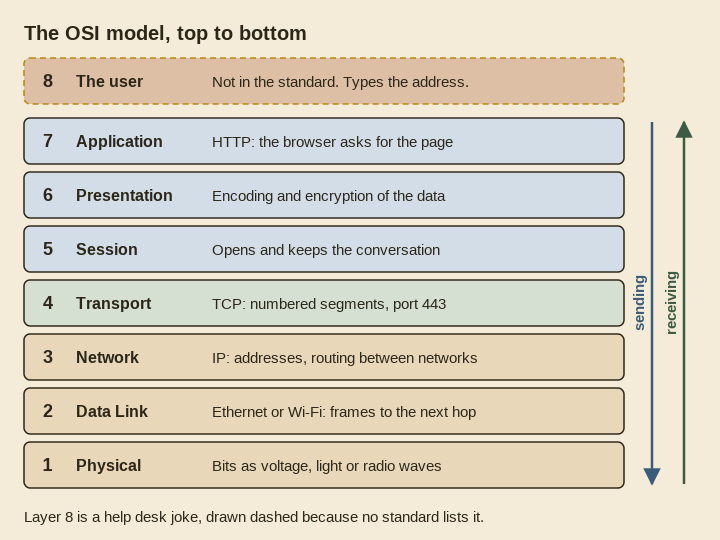 Sending goes down the stack and receiving goes up it, with one unofficial layer on top.
Going down, on your laptop.
- Layer 7: the browser writes a request in HTTP, the language of the web. In plain terms: "send me the home page."
- Layer 6: the request is encoded and encrypted so that only the far end can read it. This is the work behind the padlock, which "HTTPS and Certificates: What the Padlock Means" explains.
- Layer 5: a session ties this request to the others the page will need, so the server knows they belong to the same visit.
- Layer 4: TCP (Transmission Control Protocol) cuts the data into numbered segments and labels them for port 443, the usual door for encrypted web traffic. The numbers let the far end put the pieces back in order and ask again for any that went missing.
- Layer 3: each segment goes inside a packet marked with two IP addresses, yours and the server's. This is the envelope with the street address.
- Layer 2: the packet goes inside a frame addressed only to the next device, which at home is your router. The frame is the mail truck for one leg of the trip.
- Layer 1: the frame becomes a pattern of radio waves leaving your Wi-Fi antenna.
Each layer wrapped the data from the layer above and added its own label. Engineers call this encapsulation. It is an envelope inside an envelope inside an envelope.
In the middle. Your router reads the frame (Layer 2), opens it, looks at the IP address on the packet (Layer 3), and sends the packet toward the internet in a fresh frame. Every router along the way does the same: unwrap as far as Layer 3, decide, rewrap. None of them reads your request. They read addresses.
Going up, on the server. The server's network card receives signals and rebuilds bits (1), checks that the frame is meant for it (2), checks the packet's address (3), reassembles the segments in order (4), matches them to the session (5), decrypts and decodes (6), and hands the web server software a clean request (7). The reply takes the same trip in reverse, down the server's stack and up yours. All of it is over before your finger has left the key.
The Layer 8 issue
There is an eighth layer. It is not in the standard, no committee voted on it, and every help desk in the world knows about it. Layer 8 is the user: the person at the keyboard.
A "Layer 8 issue" is technician shorthand for a problem whose cause is sitting in the chair. The monitor that will not turn on because the power strip is off. The Wi-Fi that is "down" on a laptop in airplane mode. The password that fails because Caps Lock is on. The classic version goes like this: a technician checks the cable, the switch, the address and the server, finds all seven layers in perfect health, and writes in the ticket, "Resolved at Layer 8."
Here is the part the joke leaves out. The technician who wrote that ticket has, at some point, spent most of an hour chasing a network fault before noticing a cable that he unplugged himself. Layer 8 includes everyone, and the engineers are in it too. The honest reading of the joke is that people are part of the system. If a screen lets a reasonable person make the same mistake every week, the fault belongs to the design, and the person is only the one who found it.
So good technicians check Layer 8 early, kindly and without a sigh. "Is the little airplane icon showing?" is a faster test than any diagnostic tool, and it costs nothing to ask it in a way that lets both of you laugh.
How does it compare with the TCP/IP model?
The internet was not built from the OSI model. It was built from a simpler family of protocols usually called TCP/IP. The document that sets the requirements for internet hosts, RFC 1122 from October 1989, describes four layers and not seven.
| TCP/IP layer (RFC 1122) | OSI layers it covers | What lives there |
|---|---|---|
| Application | 7, 6 and 5 | HTTP, mail, DNS |
| Transport | 4 | TCP and UDP |
| Internet | 3 | IP |
| Link | 2 and 1 | Ethernet, Wi-Fi |
TCP/IP is what the internet runs. OSI is how people talk about it. That is why you will hear "Layer 2 switch" and "Layer 3 routing" every day (those are OSI numbers) and almost never hear anyone mention a Layer 5 device.
In real software, the top three OSI layers are usually handled together inside one program, and the neat lines between them blur. Web encryption, for example, is often filed under Layer 6 in classrooms, yet it does not sit cleanly in any single OSI box. Treat the top of the model as a list of jobs that must get done somewhere. Treat the bottom four layers as lines you can point to on real equipment.
How do technicians use it to troubleshoot?
They start at the bottom and climb. The logic is simple: every layer depends on the ones beneath it, so there is no use testing the web page if the cable is out.
Take two cases. In the first, one person at home cannot load any site on a laptop. In the second, 40 people in an office cannot reach the company's shared files.
Layer 1: is anything connected? At home, is Wi-Fi switched on and is the router lit? At the office, does the switch have power, is the link light on, did someone move a cable?
Layer 2: are you joined to the local network? At home, is the laptop connected to your network's name and not the neighbor's? At the office, are all 40 people on the same switch or the same Wi-Fi access point? If so, that one device is the suspect.
Layer 3: do you have an address and a way out? Check for an IP address, then try to reach the router. The command ping 192.168.1.1 sends a small test message to that address and reports whether it answered. If the router answers and outside addresses do not, the problem is past your house.
Layer 4: is the right door open? The file server may be running while the one port its file service uses is blocked by a firewall rule that changed last night. "Firewalls, NAT and Port Forwarding" covers that ground.
Layers 5 to 7: is the application itself working? If numeric addresses work and names do not, look at DNS. If one site fails and the rest load, it is that site. If the login is refused, the network is fine and the account is the question.
Layer 8, asked with respect: what changed just before it stopped?
As a rule of thumb, the wider the outage, the lower the layer. One program failing for one person points high. Everything failing for everyone points low, often to a single cable, power supply or provider link.
Tip
When you call for help, report what you tested in layer order: "The router light is on, my laptop has an address, I can reach the router, but no website loads." That one sentence tells the person on the other end where to start.
Where does the model fall short?
It is a map, and maps simplify. Some real protocols span two layers. Some do jobs the model assigns to different layers. Security does not belong to any single layer: encryption can happen at Layer 2, 3, 4 or above, and attackers work at every one of them, Layer 8 included.
The model also will not tell you how to configure anything. Knowing that a problem is "at Layer 3" narrows the search to addressing and routing, but you still need to know what a subnet mask is to fix it.
Use it for what it does well: naming the parts, splitting a big problem into small ones, and giving two people a common language on a bad day.
What to remember
- The OSI model splits network communication into seven layers. From the bottom: Physical, Data Link, Network, Transport, Session, Presentation, Application.
- Sending wraps the data on the way down the stack. Receiving unwraps it on the way up. Routers in between open it only as far as Layer 3.
- The internet runs on the four-layer TCP/IP model. The seven OSI numbers survive as the common vocabulary.
- Troubleshoot from the bottom up: signal, local link, address and route, port, then the application.
- A wide outage points to a low layer. A narrow one points to a high layer.
- Layer 8 is the person at the keyboard, and that includes the person doing the fixing.
The next time a page will not load, name the layer before you touch anything. Then read "IP Addresses, Ports and Your Home Router" for the middle of the stack, where the addresses and port numbers used in this guide are explained in full.