
Loading
Warhawk Division is a gaming community. This is a unit document, not a government or military publication.Warhawk Division is an independent gaming community, for entertainment purposes only. It is not affiliated with, sponsored by, or endorsed by Bohemia Interactive, the United States Department of Defense, or any military organization. Arma Reforger is a trademark of its respective owner. Printed from warhawkdivision.com.
Week 9 content
0 of 14 done
Slide 1 of 14
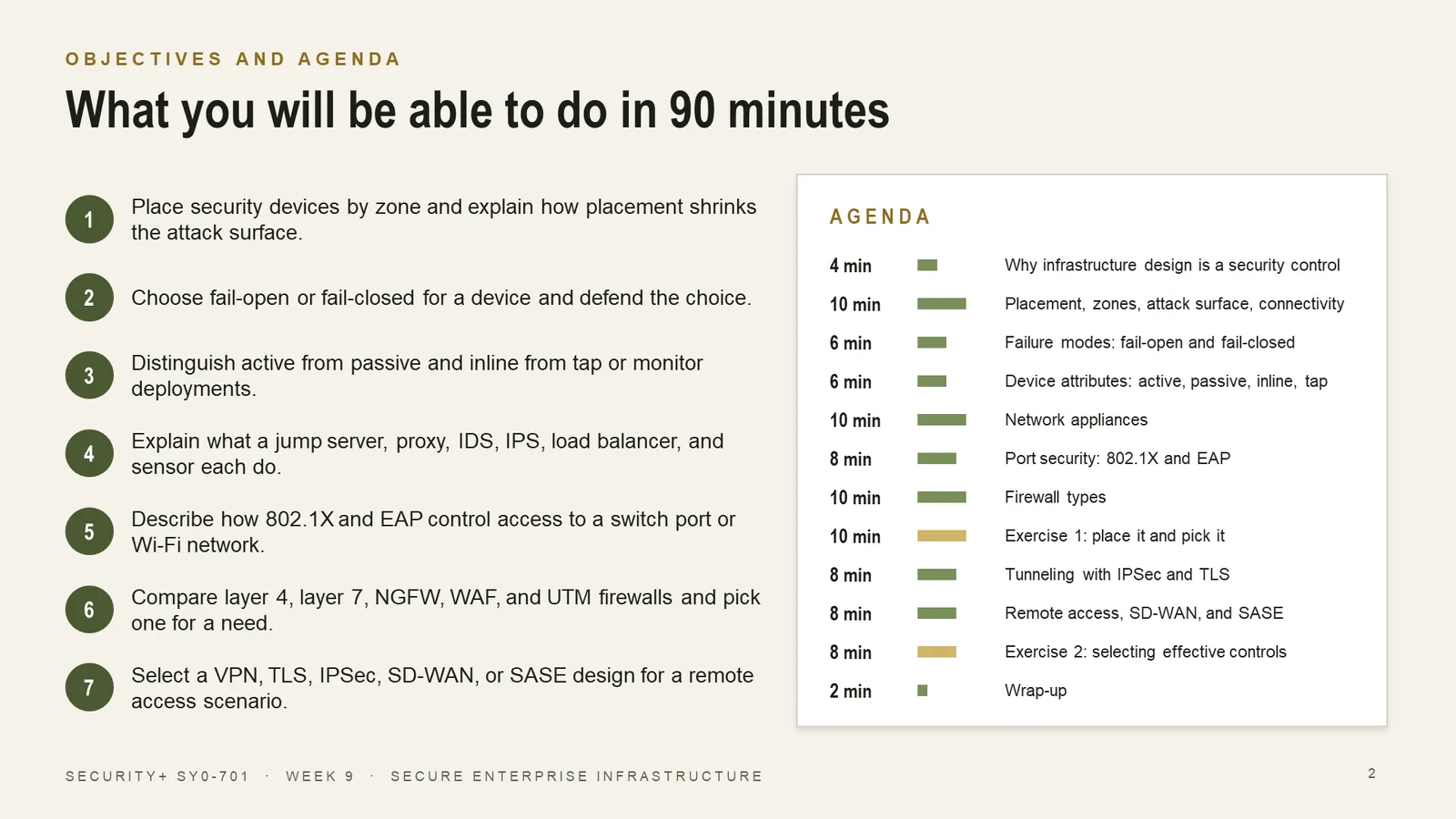
Exam objectives: 3.2 Given a scenario, apply security principles to secure enterprise infrastructure.
4 min
Most breaches do not end where they start. An attacker phishes one receptionist, lands on one PC, and then moves sideways until they reach something valuable. How far they get depends on the network's design.
A flat network, where every device can reach every other device, gives an attacker the whole organization from one foothold. A segmented network, with zones and controlled crossing points, makes every step harder and noisier.
This week covers objective 3.2, which is a "given a scenario" objective. Expect questions that describe a network and ask:
Keep the Lakeside Family Clinic in mind throughout. It has a front desk, exam rooms with clinical workstations, an EHR server, a patient portal, guest Wi-Fi for the waiting room, and a few staff who work from home. By the end of the session you should be able to draw its network and defend each control you place.
10 min
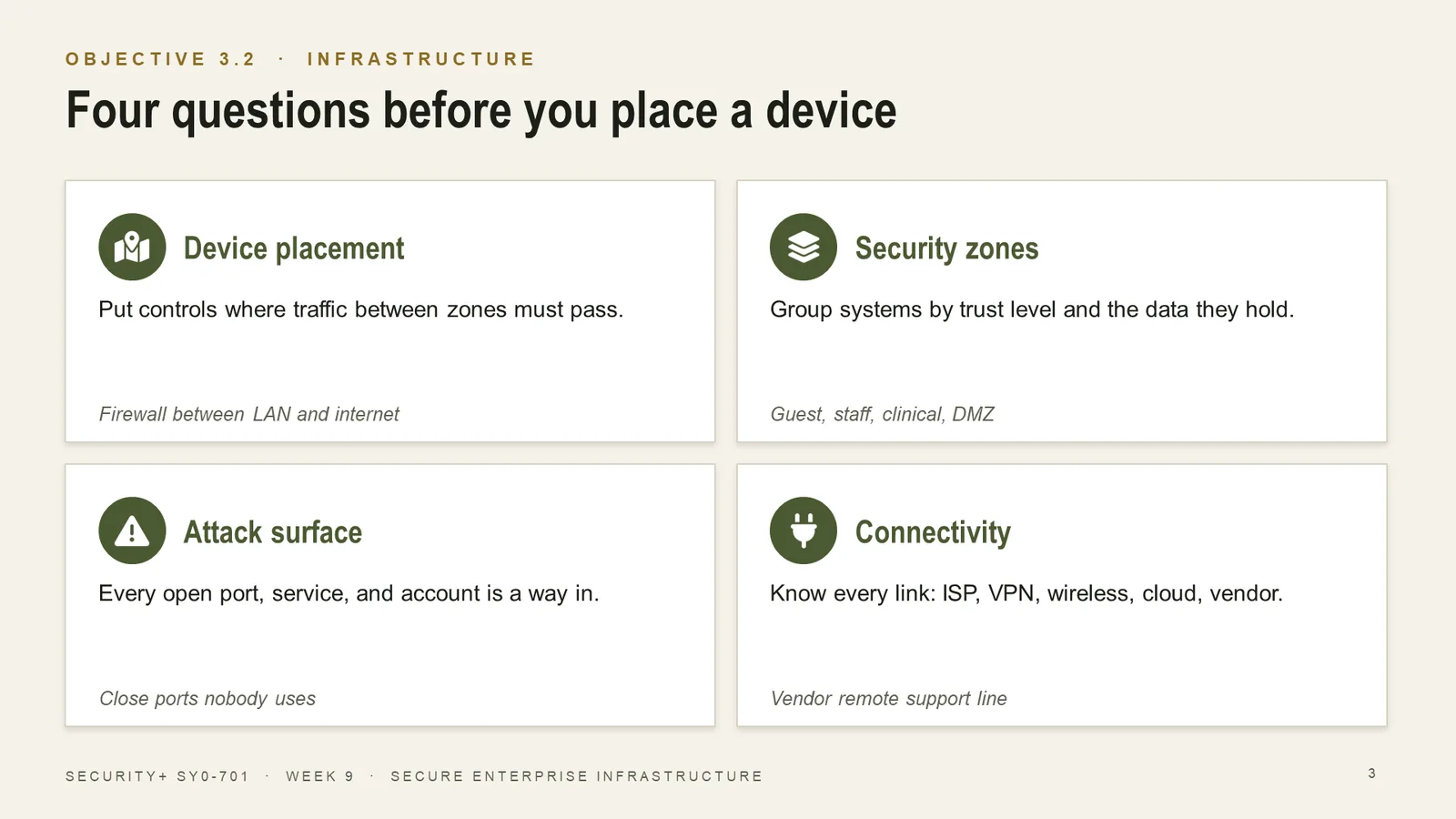
Device placement means putting each control where the traffic it must inspect actually passes. A firewall that traffic can route around does nothing. Controls usually sit at boundaries: between the internet and the inside, and between internal zones.
Security zones group systems by trust level and data sensitivity. Traffic inside a zone is lightly controlled; traffic between zones is filtered. Typical zones:
| Zone | Lakeside example | Trust |
|---|---|---|
| Untrusted | Internet | None |
| Screened subnet (DMZ) | Patient portal web server | Low |
| Guest | Waiting room Wi-Fi | Low |
| Staff | Front desk and billing PCs | Medium |
| Clinical or restricted | EHR server, medical devices | High |
| Management | Jump server, switch and firewall admin interfaces | High |
A screened subnet (the older term is DMZ) holds systems that the internet must reach, so a compromise there does not land the attacker on the internal network.
The attack surface is the total set of ways in: open ports, running services, accounts, wireless networks, remote access paths, and vendor connections. Every unused service you disable and every zone you separate shrinks it.
Connectivity means knowing every link into and out of each zone: ISP circuits, VPNs, wireless, cloud connections, and that forgotten vendor remote support tool. Undocumented links are where segmentation quietly fails.
Tip
On the exam, when a scenario says a compromise in one area spread to another, the answer is almost always about zones and placement, not about a stronger product.
6 min
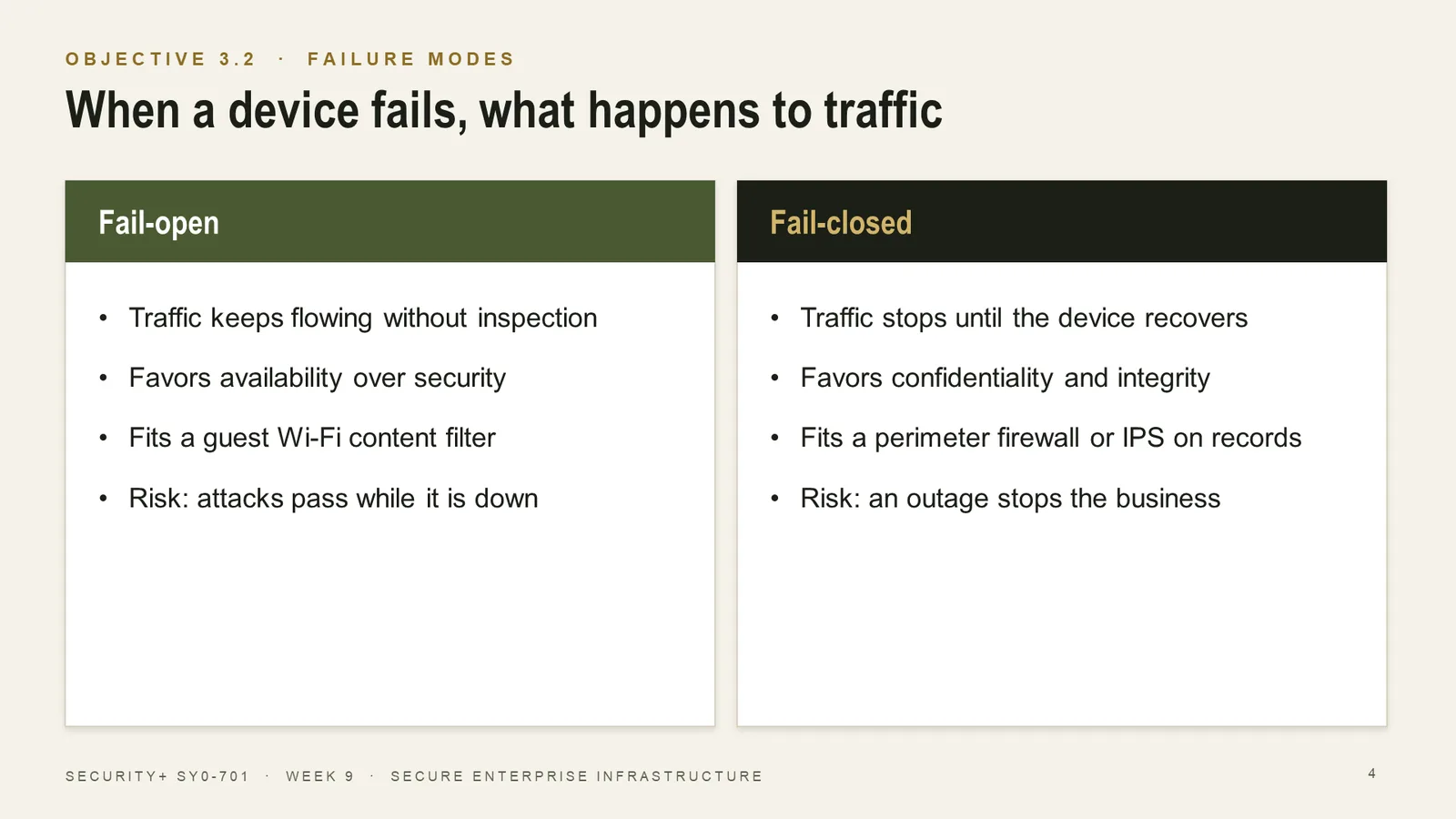
Every inline security device can fail. Power supplies die, software crashes, and subscriptions lapse. The failure mode decides what happens to traffic while the device is down.
The right choice depends on the traffic:
Watch out
Exam trap: fail-open does not mean "insecure by design." It is a deliberate choice when availability matters more. Read the scenario for what the organization values most, then pick the mode that protects it.
6 min
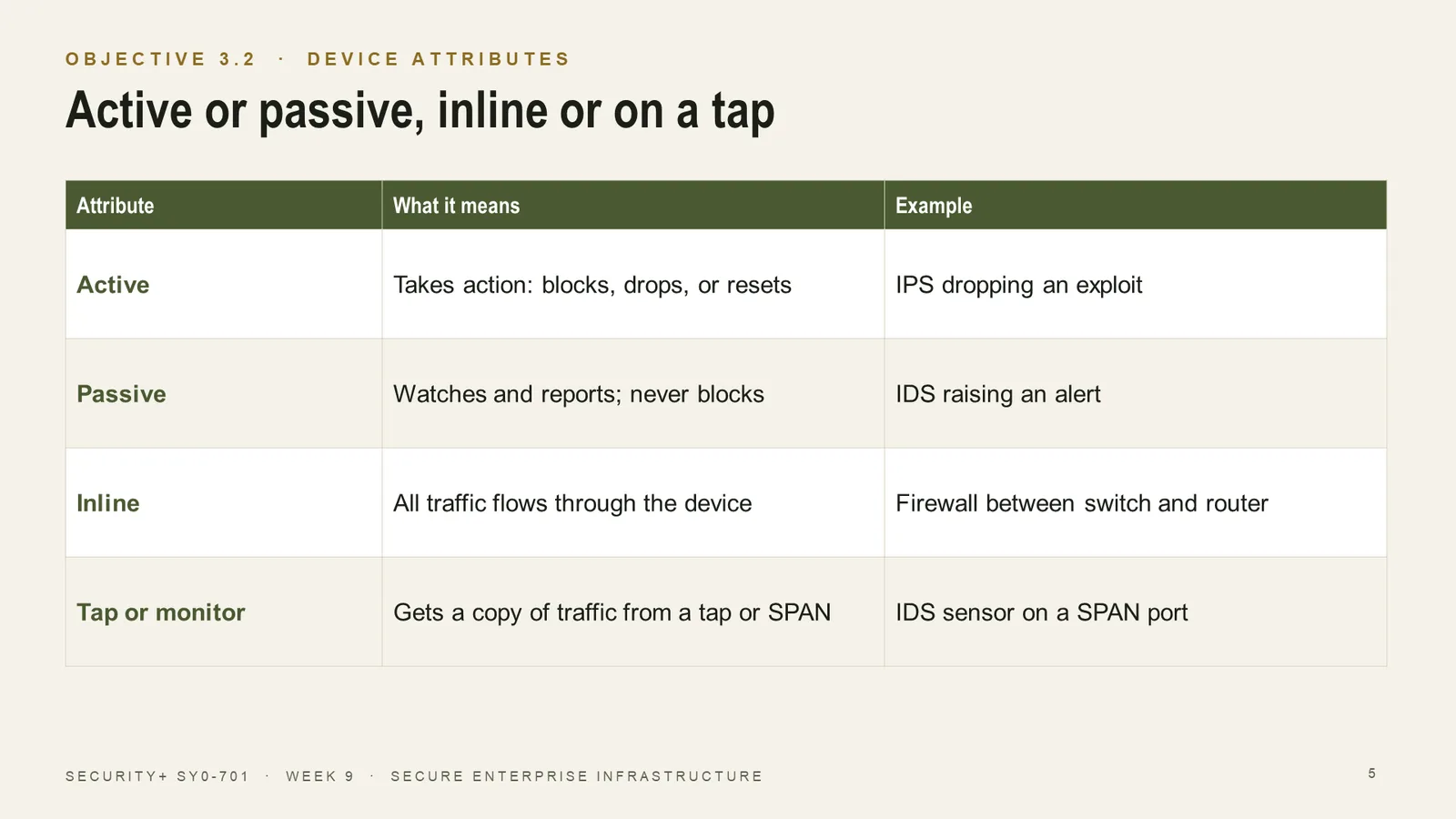
Objective 3.2 describes devices by two attributes.
Active or passive is about what the device does:
Inline or tap/monitor is about how traffic reaches it:
The usual pairings: an IPS is active and inline; an IDS is passive and on a tap or monitor connection. An inline device can also run in a passive, alert-only mode while it is being tuned.
Tip
Only inline devices have a meaningful fail-open or fail-closed setting. If a tap-connected sensor fails, you lose visibility, not connectivity.
10 min
Watch out
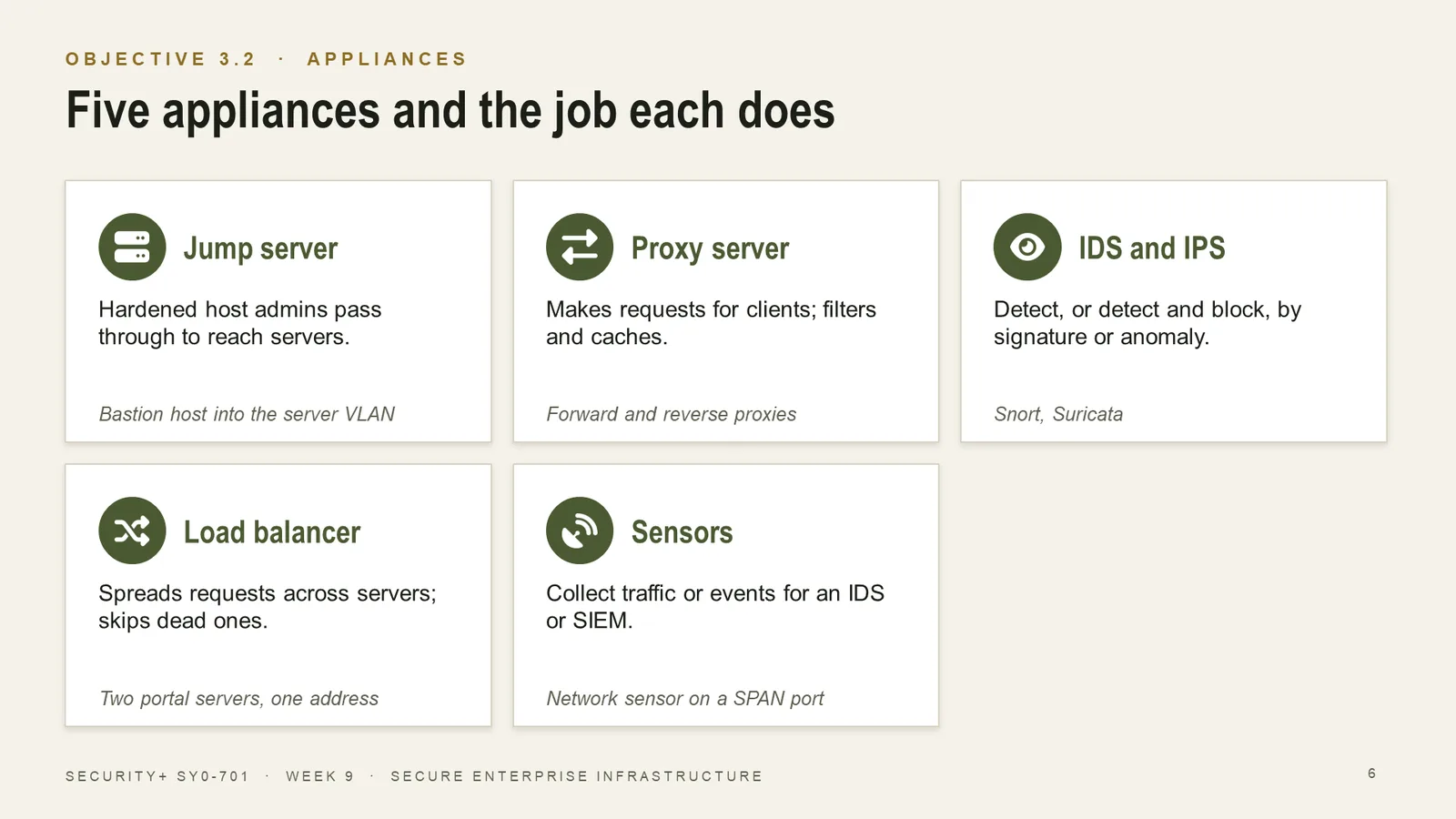
Exam traps. A proxy that protects users is a forward proxy; one that protects servers is a reverse proxy. A load balancer is an availability tool first, not a firewall.
8 min
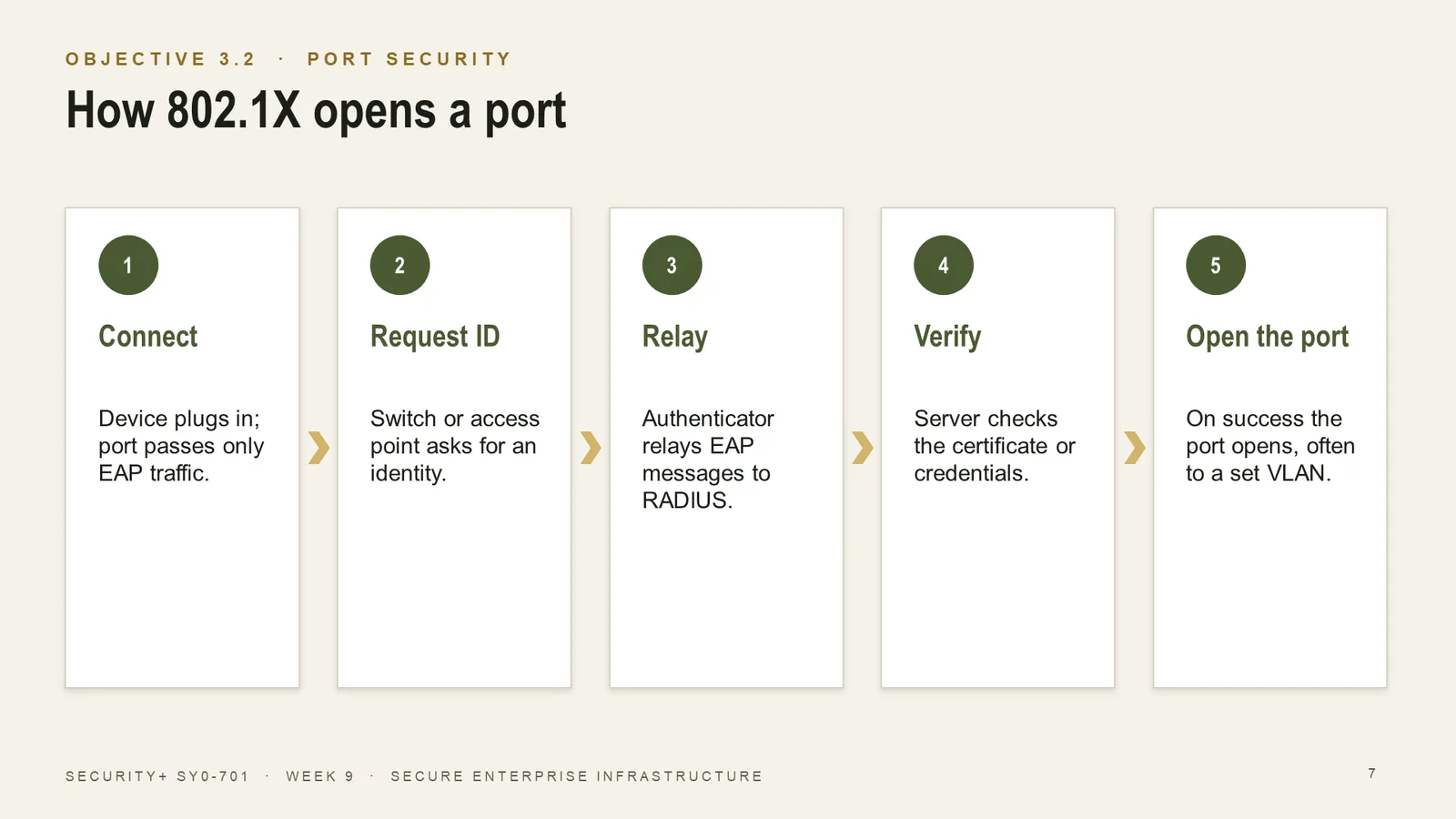
Port security keeps unauthorized devices from using a network jack or wireless network. Simple versions limit a switch port to known MAC addresses, but MAC addresses are easy to spoof. The stronger approach is IEEE 802.1X, port-based network access control.
802.1X has three roles:
Until the supplicant authenticates, the port passes only authentication traffic. The Extensible Authentication Protocol (EAP) carries that exchange. EAP is a framework with several methods:
On success, the RADIUS server can tell the switch to place the device in a specific VLAN: clinical workstations into the clinical zone, unknown devices into a guest VLAN or nowhere.
Tip
802.1X is the same mechanism behind WPA2 and WPA3 Enterprise on Wi-Fi. On the exam, "authenticate devices before they get network access" points to 802.1X with RADIUS, and "certificates on every client" points to EAP-TLS.
10 min
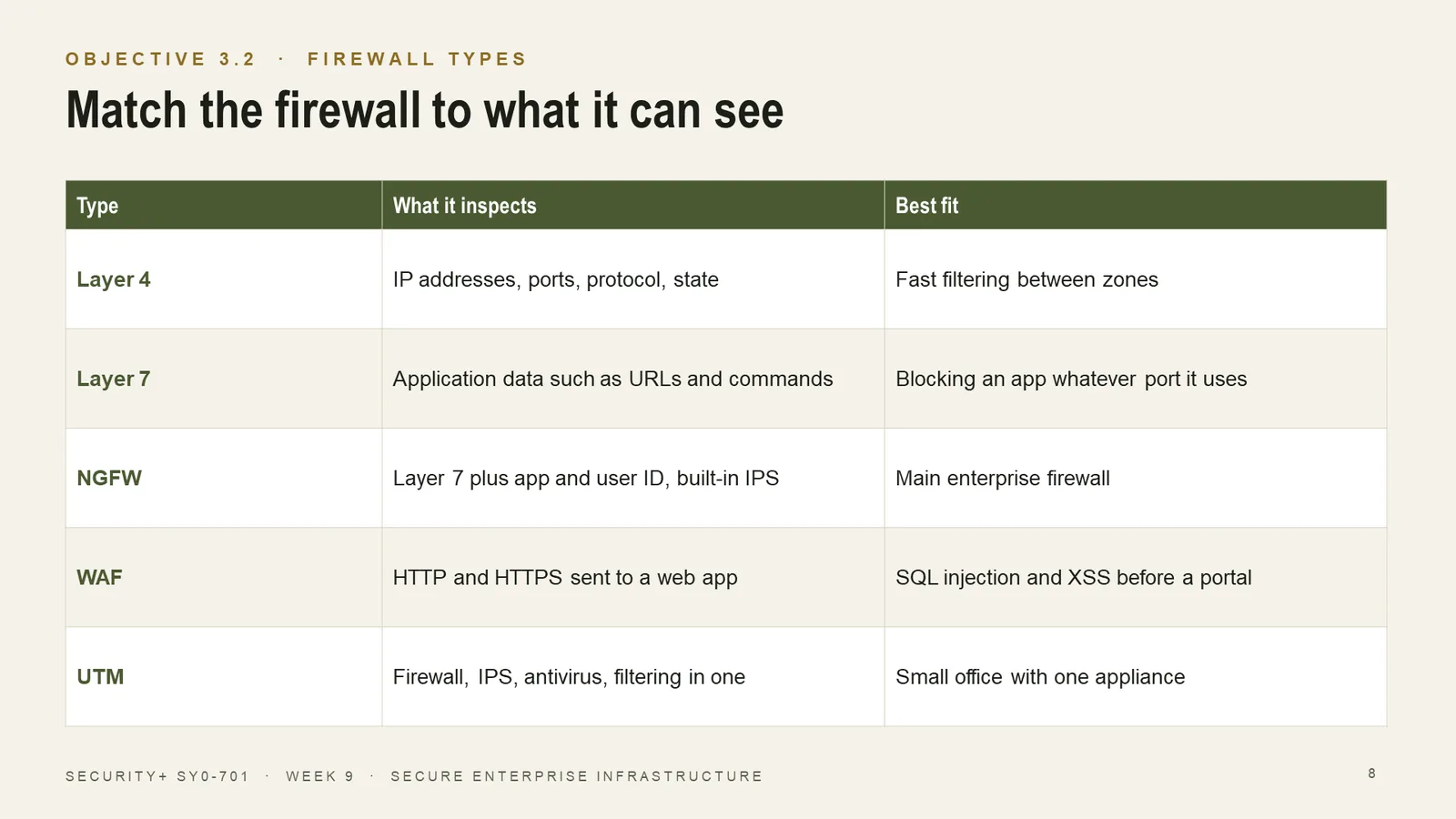
A firewall enforces rules about which traffic may pass. Rules are read top to bottom, the first match wins, and a well-built rule set ends with an implicit deny: anything not allowed is blocked.
Watch out
Exam traps. A WAF protects a web application, not users browsing the web. An NGFW and a UTM overlap; choose UTM when the scenario stresses one box for a small business, NGFW when it stresses application and user awareness at enterprise scale.
10 min
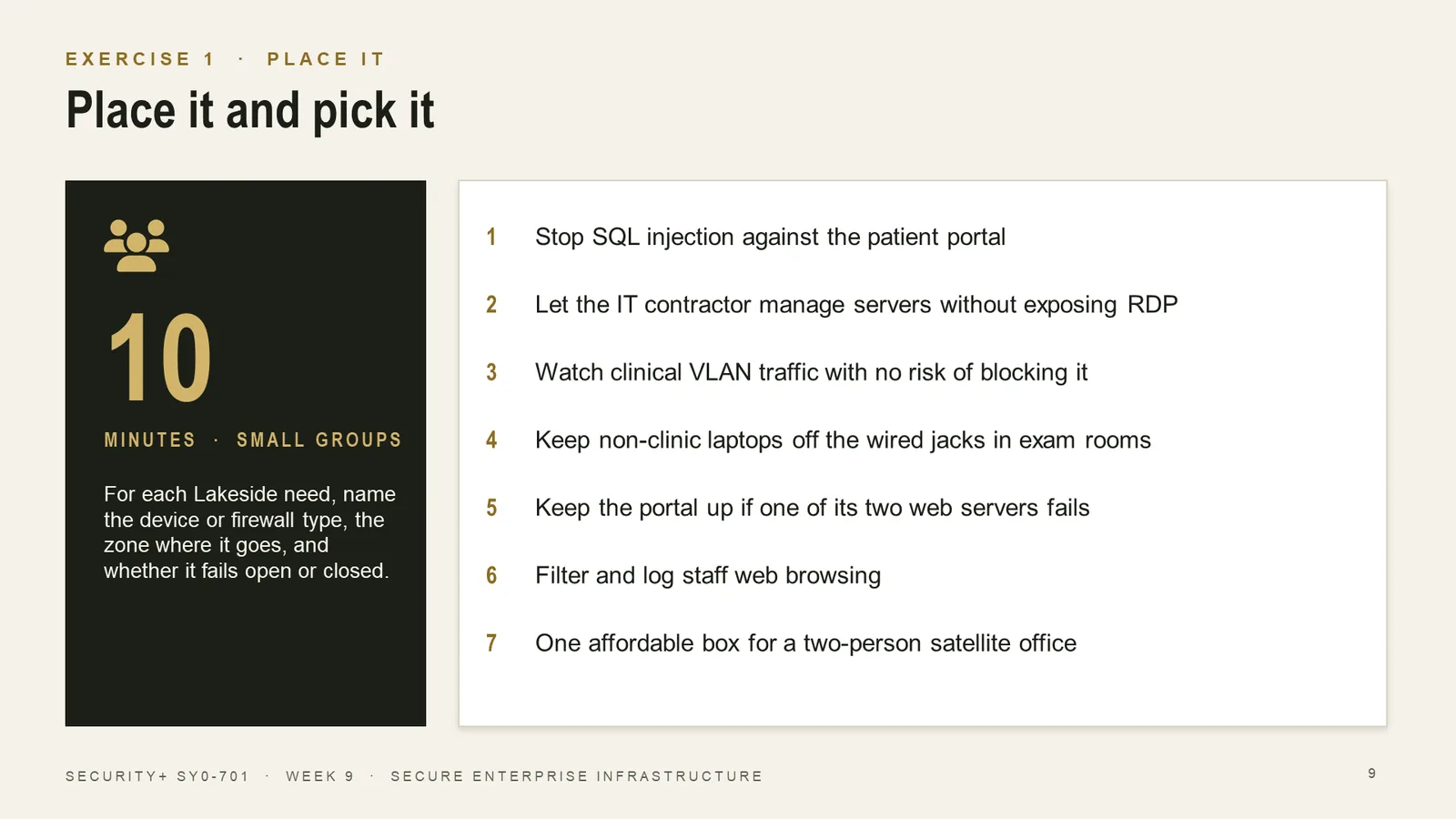
Sketch the Lakeside Family Clinic's zones first: internet, screened subnet with the patient portal, guest Wi-Fi, staff, clinical with the EHR server, and management. Then, for each need, write the device or firewall type, the zone or boundary where it goes, and whether it should fail open or closed. Give yourself 8 minutes.
8 min
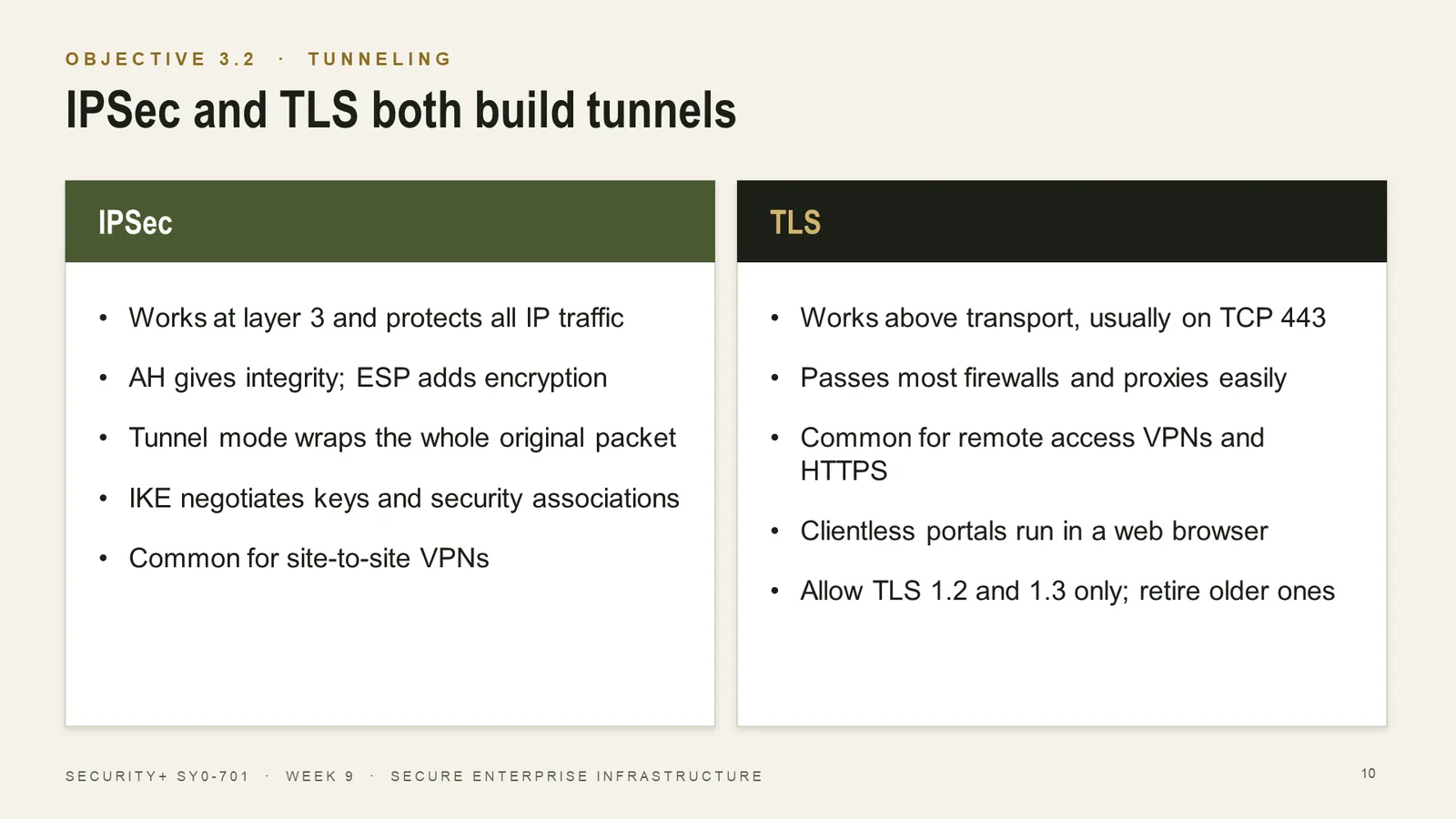
A virtual private network (VPN) builds an encrypted tunnel across an untrusted network, usually the internet. Two protocols do most of the work.
IPSec (Internet Protocol Security) works at the network layer, so it protects all IP traffic regardless of application.
TLS (Transport Layer Security) encrypts traffic above the transport layer, the same protocol that protects HTTPS. A TLS VPN usually runs on TCP 443, so it passes through hotel and airport firewalls that block IPSec. Many offer a clientless mode in a browser for simple access to web applications.
| Need | Typical choice |
|---|---|
| Clinic to satellite office, always on | IPSec site-to-site, tunnel mode |
| Clinician on hotel Wi-Fi | TLS remote access VPN |
| Integrity only, no encryption | IPSec AH |
Watch out
Exam traps. AH does not encrypt. Tunnel mode, not transport mode, is the gateway-to-gateway choice. Allow only TLS 1.2 and 1.3; SSL and early TLS versions are deprecated.
8 min
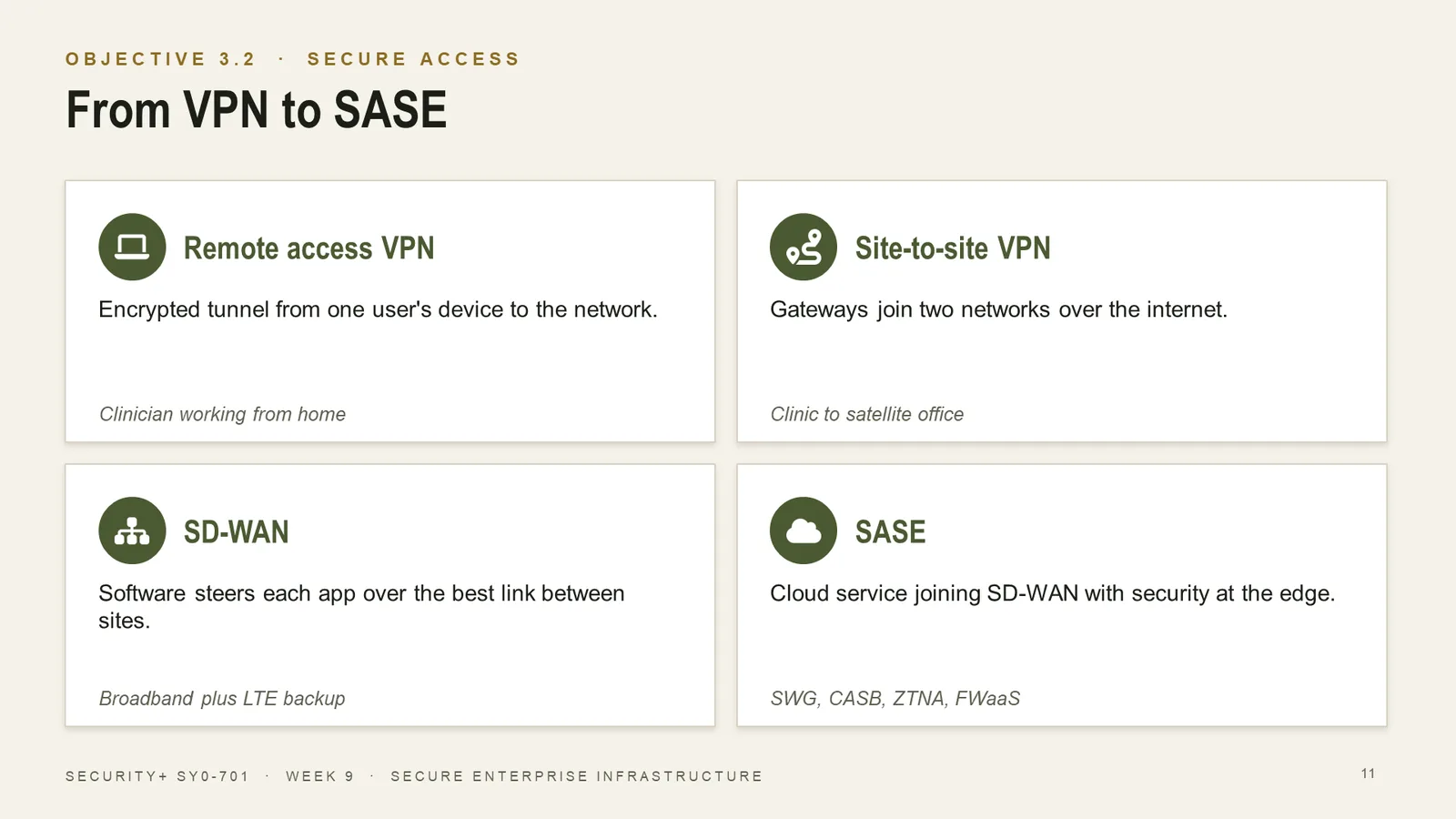
Remote access covers every way someone reaches internal systems from outside: a VPN, remote desktop, SSH, or a vendor's support tool. Each one is part of the attack surface. Protect them with MFA, route administrative access through a jump server, and never expose RDP directly to the internet.
A remote access VPN connects one user's device to the network. Two design choices matter:
A site-to-site VPN connects whole networks through gateways at each end, invisible to users.
Software-defined wide area network (SD-WAN) manages connections between sites in software. It can use several links at once (broadband, fiber, LTE), send each application over the best one, and fail over when a link drops. It replaces costly private circuits, but traffic over the internet still needs encryption and security inspection.
Secure access service edge (SASE) combines SD-WAN-style networking with security delivered from the cloud: a secure web gateway, cloud access security broker (CASB), zero trust network access (ZTNA), and firewall as a service. Users connect to the nearest SASE point of presence wherever they are, instead of tunneling back to headquarters first.
Tip
SD-WAN is about connecting sites efficiently. SASE adds security delivered from the cloud for users and sites anywhere. If the scenario mentions remote users, cloud apps, and zero trust together, think SASE.
8 min
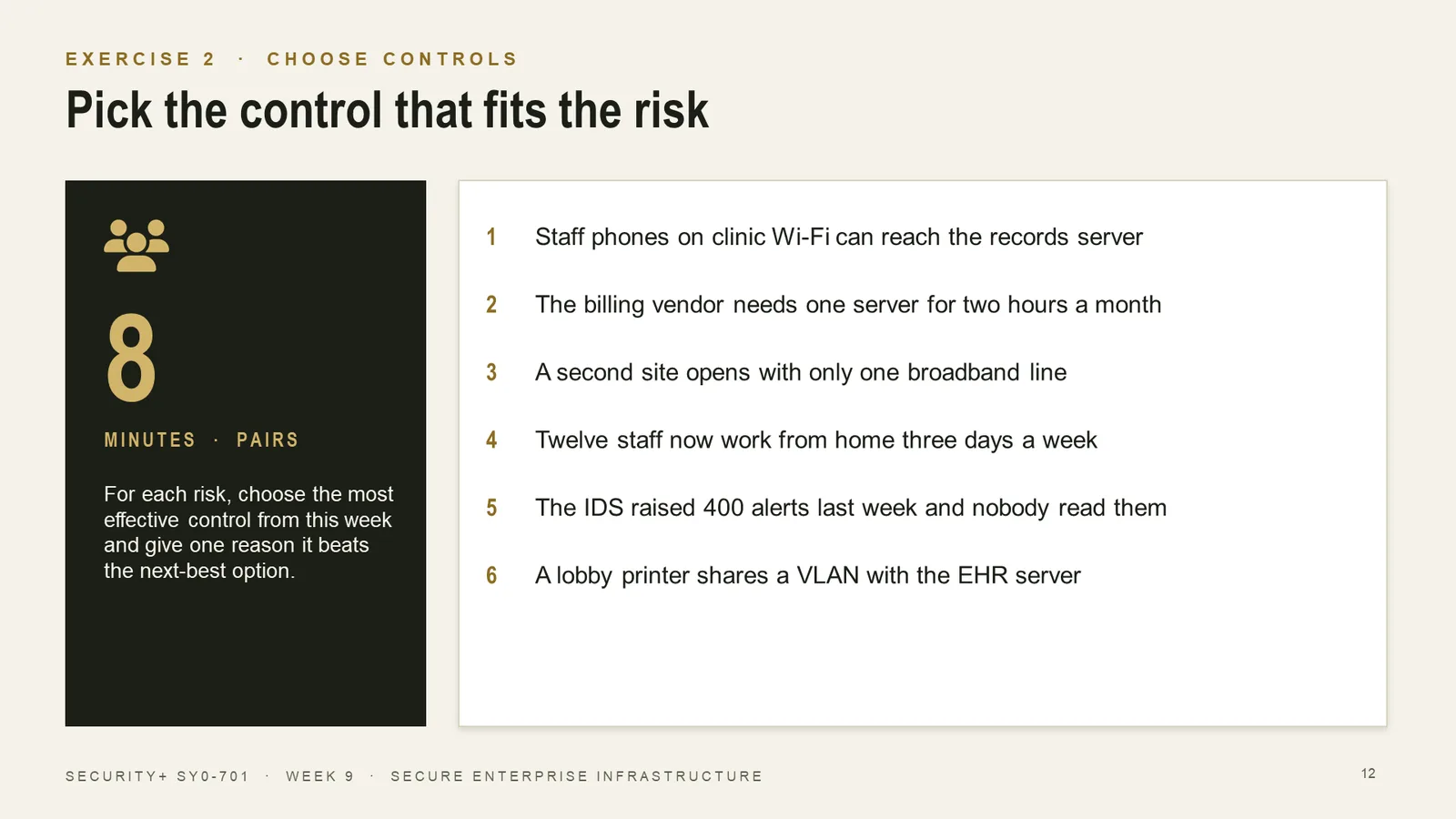
Objective 3.2 ends with selection of effective controls. The best control is the one that addresses the stated risk, fits the organization's size and budget, and does not create a larger problem. A strong answer names the control and why it beats the next-best option.
Work in pairs for 6 minutes.
2 min
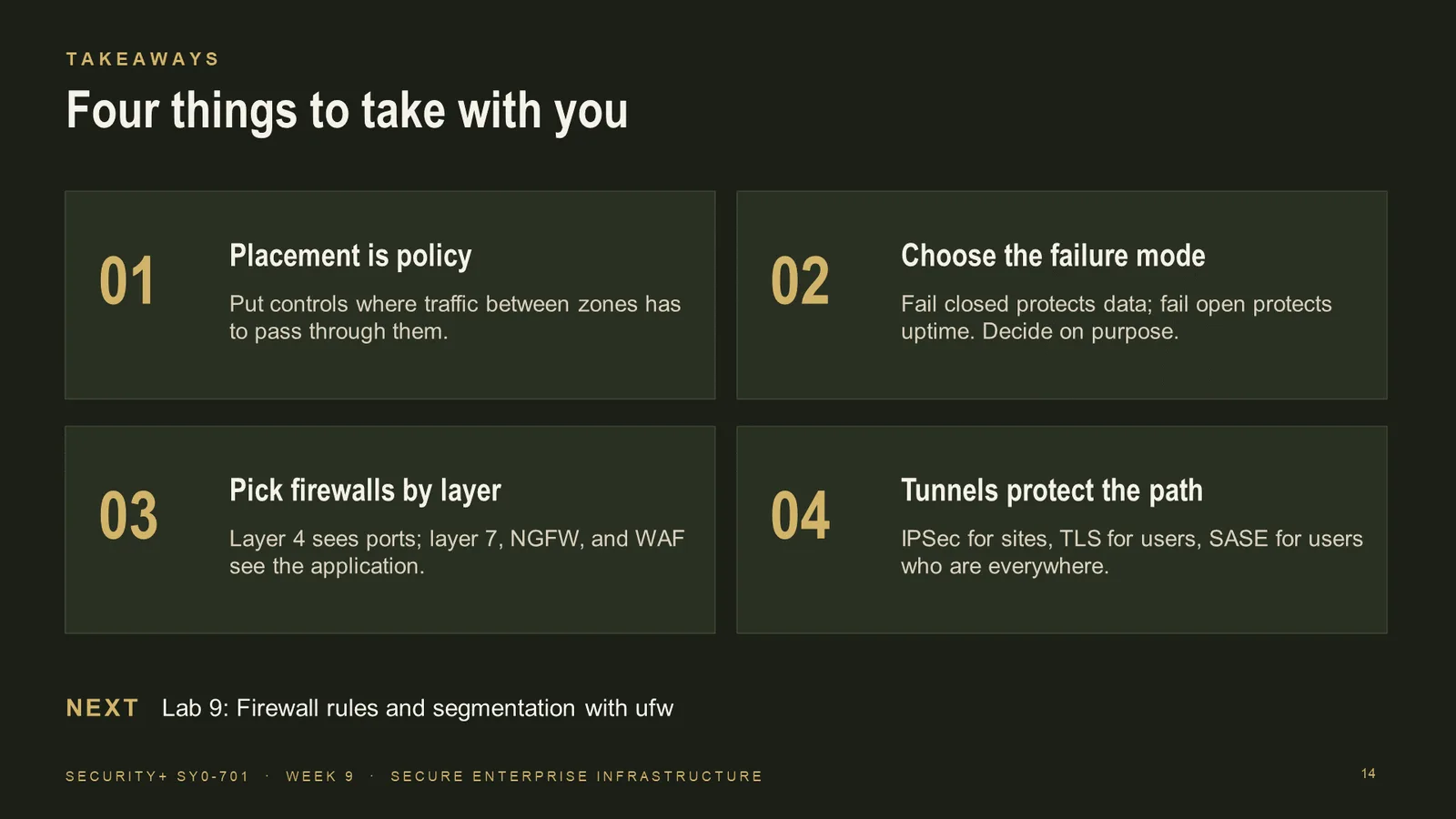
This week's ideas fit in four sentences.
Before the lab, answer the five review questions and take the quiz. In Lab 9 you will apply a default-deny firewall between two lab VMs and prove with scans and logs what it blocks.
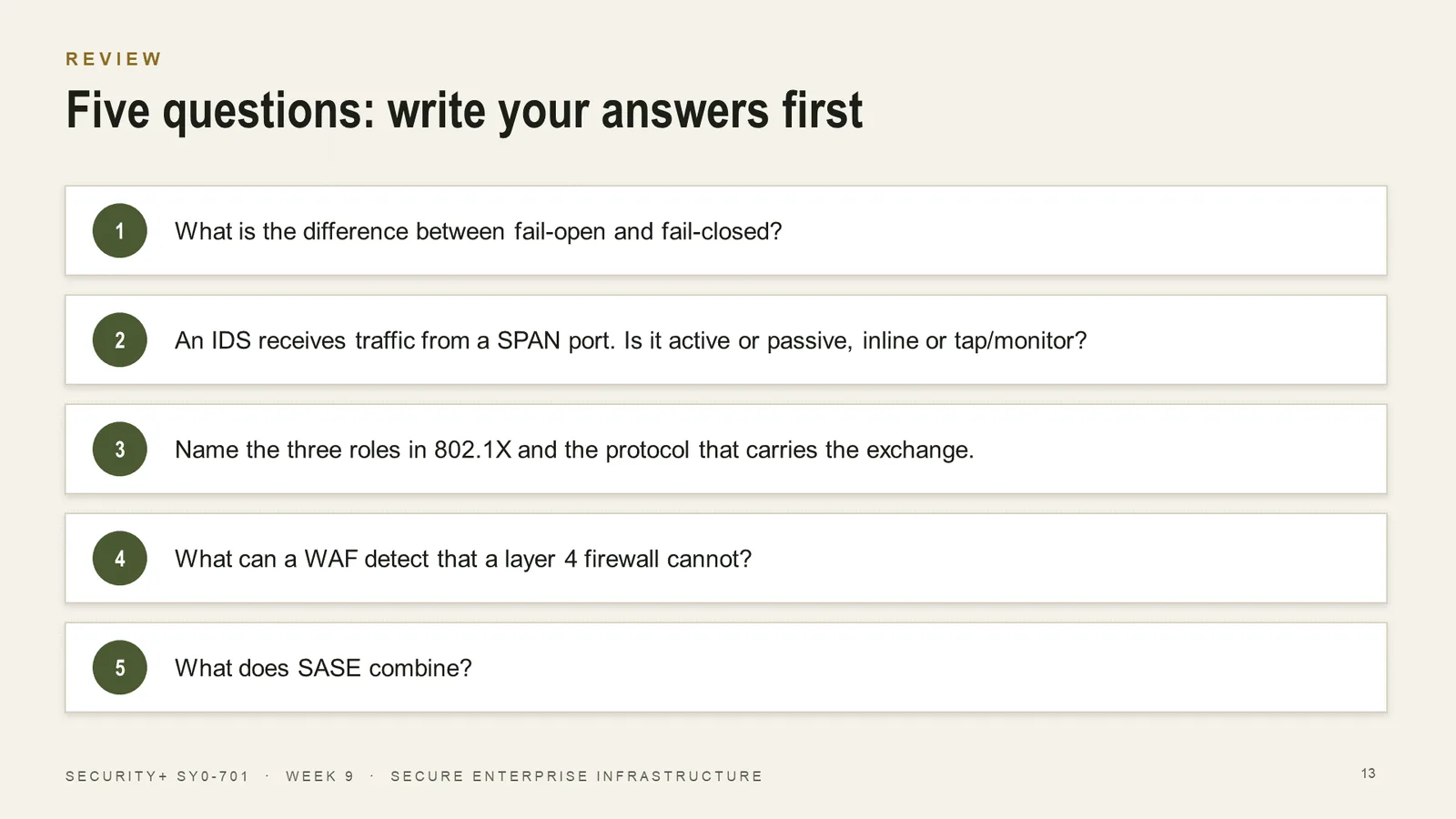
Write your answers to the five review questions first, then open each one to check it.
When a fail-open device fails, traffic keeps flowing uninspected, which favors availability. When a fail-closed device fails, traffic stops, which favors confidentiality and integrity.
Passive, because it only alerts, and tap or monitor, because it receives a copy of the traffic rather than sitting in the path.
Supplicant (the device), authenticator (the switch or access point), and authentication server (usually RADIUS). EAP carries the authentication exchange.
Attacks inside HTTP requests, such as SQL injection and cross-site scripting. A layer 4 firewall sees only addresses, ports, and connection state.
SD-WAN networking with cloud-delivered security services such as a secure web gateway, CASB, zero trust network access, and firewall as a service.
60 min
01 Placement is policy
Put controls where traffic between zones has to pass through them.
02 Choose the failure mode
Fail closed protects data; fail open protects uptime. Decide on purpose.
03 Pick firewalls by layer
Layer 4 sees ports; layer 7, NGFW, and WAF see the application.
04 Tunnels protect the path
IPSec for sites, TLS for users, SASE for users who are everywhere.
Week 9 interactive lab
Goal: Allow Internet HTTPS (443) to DMZ-Web and App-Tier SQL (5432) to DB-Tier. Block Internet SSH (22) and direct Internet SQL (5432). Rules are evaluated top-to-bottom with an implicit deny at the end.
| # | Action | Source | Destination | Port | Order |
|---|---|---|---|---|---|
| 1 | Internet | DMZ-Web | 443/TCP | ||
| 2 | Internet | DMZ-Web | 22/TCP | ||
| 3 | App-Tier | DB-Tier | 5432/TCP | ||
| 4 | Internet | DB-Tier | 5432/TCP | ||
| * | DENY | Any | Any | Any | Implicit deny |
You need two Linux VMs from Lab 1 (Ubuntu or Debian) on a VirtualBox internal network or VMware host-only network with no route to any other network. Scan and firewall only your own lab VMs; never run these scans against a network you do not own.
Lab steps · 0 of 9 complete (0%)
A short report with your rule plan table, the ufw status numbered output, before-and-after Nmap results, three matched log lines, and a one-page diagram of the Lakeside Family Clinic zones showing where a firewall like this one would sit.